Screen Problem ? BIOS ? Motherboard ?

Joined
Nov 16, 2010
Messages
15
Reaction score
0
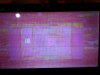
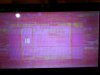
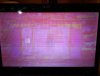
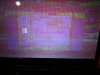
Guys can you please help me predict what kind of error did I got from my screen?
I have attached the photos from my screen....

Asus 1201n LAPTOP
Atom 330
Nvidia Ion
2gb RAM
250gb HDD
 

Attachments

  • DSCF2476.jpg
    DSCF2476.jpg
    96 KB · Views: 5,301
  • DSCF2477.jpg
    DSCF2477.jpg
    97.6 KB · Views: 3,351
  • DSCF2480.jpg
    DSCF2480.jpg
    93.5 KB · Views: 1,281
  • DSCF2481.jpg
    DSCF2481.jpg
    93.9 KB · Views: 1,623
Joined
Sep 22, 2010
Messages
613
Reaction score
102
Looks like a videocard problem. Check if you have any crash dumps recorded in C:\Windows\Minidump.

Edit: also check in the event viewer (control panel -> administrative).
 
Last edited:
Joined
Nov 16, 2010
Messages
15
Reaction score
0
I have checked my Minidump folder and nothing was inside it...
C:\Windows\Minidump
 
Joined
Nov 16, 2010
Messages
15
Reaction score
0
I bought this laptop last february 2010...

Due to BSODs I returned the unit to the Asus Service Center

Upon their initial findings, They arrived at a conclusion that my Hard Disk was the cause...

So they changed the hard disk...

After a week from service center,

BSODs came up again once or twice a month till last month

This month instead of BSODs, multicolored vertical bars came up...

*** Asus Service Center installed my WIN7 HOME PREMIUM freshly "not upgraded"****

Don't you think this laptop I bought from Amazon.com was a defective one?

**Attach below is the list of drivers***
 

Attachments

  • driverlist1201n.zip
    10.2 KB · Views: 492
Last edited:
Joined
Sep 22, 2010
Messages
613
Reaction score
102
It looks like a hardware issue. Or wrong BIOS settings. If you can easily reproduce this error, you can return the note to the Asus Service Center.

Additionally, here's what I suggest:

1. I would restore the initial system state from the backup partition, and it would be even better to reformat and clean install. Based on your Event Viewer numerous errors, your system files or the system's configuration may be corrupted. To find out, run cmd -> sfc /scannow and let it do the job.


2. Test your hardware:

1) for the hard drive, run hdd scan to see if it shows you any errors marked red:
http://hddscan.com/

2) for the video system, run furmark:

http://www.sevenforums.com/tutorials/100356-video-card-stress-test-furmark.html

6. Watch for artifacts on the screen, and keep an eye on the temperature log. If you see artifacts, or the temperature levels out, stop the test.

3) for the memory, run memtest overnight as outlined here:

http://www.sevenforums.com/tutorials/105647-ram-test-memtest86.html


4) for the CPU:

http://www.sevenforums.com/tutorials/100352-cpu-stress-test-prime95.html


These hardware tests will take you a while, but they may clarify for you and for the ASUS support the state of your PC.


3. Update drivers:

L1C62x86.sys 9/4/2009
Atheros L1c PCI-E Gigabit Ethernet Controller

SCDEmu.SYS 11/9/2009
PowerISO
 
Last edited:
Top