Need help about fixing programs' windows design

Joined
Mar 27, 2016
Messages
3
Reaction score
0
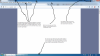
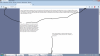
Hi there, guys! I've got a major issue which is not that big, but it's annoying. I liked the older graphic interface but soon after some update it disappeared and had been replaced with modified version. You will see very thorough explaination in the pictures of the older and the current interface. The first is taken in 21.11.2014 and the second, of the current graphic interface is made today, 27.03.2016. I'm using Toshiba Satellite L50 - A- 119 running Windows 7 Ultimate, licensed one which often applies Windows Update, which I suppose is the reason my favourite graphic interface disappeared. Please, recommend me a solution, which will last even after the next updates
 

Attachments

  • The older graphic interface.png
    The older graphic interface.png
    479.4 KB · Views: 546
  • The current graphic interface.png
    The current graphic interface.png
    489.2 KB · Views: 503
Last edited:
Joined
Mar 6, 2016
Messages
21
Reaction score
8
Hello,

It seems that the theme for your windows may have changed from Windows Aero to Windows Basic.
To switch it back to Windows Aero, right click on the desktop (anywhere) and click on Personalize. From Aero themes, please select one of the themes. Click on OK and that should solve the problem.
 
Joined
Mar 27, 2016
Messages
3
Reaction score
0
Thank you for answering! I made it but there are still some things
I don't like - the taskbar is now translucent too, I would like to make it solid color while the theme overall is Windows Aero nd also in the upper part of the browser there are some design changes I would like to remove - some areas are of lighter shade of blue as depicted on the picture.
 

Attachments

  • Now with Windows Aero theme.png
    Now with Windows Aero theme.png
    307 KB · Views: 456
Last edited:
Joined
Mar 6, 2016
Messages
21
Reaction score
8
Hello,

You can check under "Window Color" in Personalize. You can reduce the opacity of the task bar color from there. With regards to Mozilla i am not sure since there is a possibility that the browser may have been updated and the new layout is they way it is now. If the browser is updated, you may want to install an earlier version and check.
 
Top