BSODs a lot! :(

Joined
Apr 17, 2014
Messages
32
Reaction score
0
Good day,
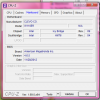
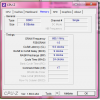
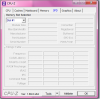
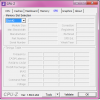
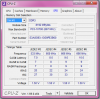
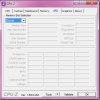
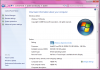
I get a lot of BSODs in my new netbook (which I found surprising because... it's new? lol) At first it was tolerable but then I found myself annoyed in the process. It shuts down while I'm in the middle of doing paper works and I can't even play games more than 10 minutes. I've tried reinstalling graphics driver, downgrading and upgrading them to see what will "fix" the error but unfortunately, none of them worked. I've tried running memtest and it has found no error whatsoever.I have provided some information that might help you guys in determining what my problem is. Any help would be extremely appreciated. Thank you so much for your time. :)

Yours truly,
The Desperate One

List of some blue screen messages I get:
irql not less or equal
system service exception
memory management
apc index mismatch
bad pool header


//Edit
Sorry! I think I posted in the wrong forum. I think it should have been in this section- Crashes, BSODs, and Debugging. Any help as to how I could move this thread to that section would be appreciated. Sorry for my negligence and thank you again.
 

Attachments

  • Minidump.zip
    207.7 KB · Views: 462
  • Mainboard.png
    Mainboard.png
    61.1 KB · Views: 543
  • Memory.png
    Memory.png
    57.3 KB · Views: 508
  • SPD Slot 1.png
    SPD Slot 1.png
    36.2 KB · Views: 550
  • SPD Slot 2.png
    SPD Slot 2.png
    33.5 KB · Views: 544
  • SPD Slot 3.png
    SPD Slot 3.png
    39 KB · Views: 533
  • SPD Slot 4.png
    SPD Slot 4.png
    34.1 KB · Views: 523
  • Some basic information.png
    Some basic information.png
    140 KB · Views: 578
  • System Information.jpg
    System Information.jpg
    51.5 KB · Views: 490
Last edited:

TrainableMan

^ The World's First ^
Moderator
Joined
May 10, 2010
Messages
9,357
Reaction score
1,587
Don't worry about moving it to the BSOD thread; that will be taken care of shortly.

As for your issues ...

I'm not saying you have a virus but it is always a possibility when BSOD's start occurring so, I would encourage you to run a Safe Mode scan as explained at the start of my post HERE.

Then you really should install Service Pack 1 (SP1) through Windows Updates. I can't know that this will solve your problems but until you update the W7 system files there is no way to be sure they aren't contributing to your problems. Post new DMPs if the BSODs continue after SP1 upgrade.
 

Shintaro

Moderator
Joined
Mar 1, 2012
Messages
2,134
Reaction score
252
How did you go with scanning your computer for viruses and updating to Windows 7 Service Pack 1??
 
Joined
Apr 17, 2014
Messages
32
Reaction score
0
Thank you so much for the replies. :)

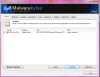
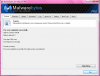
For the virus scan, here's the result:
--

I haven't done any action to the "virus" yet because I don't know if it would further harm my netbook. As for the Windows 7 upgrade, how do I do the upgrading? Thank you so much again. :)
 

Attachments

  • Virus Scan Result.png
    Virus Scan Result.png
    117 KB · Views: 526
  • MBAM-log-2014-04-18 (10-50-19).txt
    2.1 KB · Views: 483

TrainableMan

^ The World's First ^
Moderator
Joined
May 10, 2010
Messages
9,357
Reaction score
1,587
PUM.UserWLoad can be particularly nasty. It may have actually modified your hosts file; by manipulating your hosts file the creators can monitor your internet usage, trapping bank logons, credit cards, etc, and even directing you to fake webpages that may look like Paypay etc but that they control. Definitely Quarantine that file but there is concern what other damage/changes it has made to your actual system. And even after you delete the main exe it may have hidden versions that will return.
 

TrainableMan

^ The World's First ^
Moderator
Joined
May 10, 2010
Messages
9,357
Reaction score
1,587
Quite honestly, I wouldn't bother with SP1 until this virus is resolved, at the very least you will want to run system restore to get back to an older registry table and so SP1 would just have to be reinstalled again after that. You also need to make sure your hosts file is not compromised.

MalwareBytes How to remove PUM.UserWLoad virus (Removal Guide)

Personally, in reading about this malware, I would seriously consider backing up your data and then completely formatting the drive and reinstalling everything. But start with the removal guide as well as checking your hosts file for rogue entries and see where you are at that point. If you do not reinstall then I would use my safe mode scan method every 3 or 4 days to be sure it doesn't return.
 
Last edited:
Joined
Apr 17, 2014
Messages
32
Reaction score
0
Oh no. This is shocking. I'll do what I can to it immediately. Thank you so much for that valuable information.

And may I ask if this is the case why my netbook is experiencing BSODs?
 

Shintaro

Moderator
Joined
Mar 1, 2012
Messages
2,134
Reaction score
252
My apologies, that is a very serious piece of malware.

Totally agree with Trainableman.
 

Shintaro

Moderator
Joined
Mar 1, 2012
Messages
2,134
Reaction score
252
With Malware the authors don't write very good drivers. So looking at the crash dump files in depth, the BSOD could be caused by that Malware.
 
Last edited:
Joined
Apr 17, 2014
Messages
32
Reaction score
0
Thank you so much, TrainableMan and Shintaro. I'm currently performing a full scan to see if there are any more infection (and to my surprise, the objects detected are now 13 and counting... :eek:) Will be posting updates after finishing the scan. Thank you again. :)
 
Joined
Apr 17, 2014
Messages
32
Reaction score
0
I deleted all the detected viruses. :)


But one problem here: I tried deleting PUM.UserWLoad but it keeps appearing. :(
 

Shintaro

Moderator
Joined
Mar 1, 2012
Messages
2,134
Reaction score
252
Did you follow the link that Trainableman pointed you to?

HERE it is.

That virus is quite nasty and seems to take a bit to get rid of.

If you have any problems or questions, please ask.
 

TrainableMan

^ The World's First ^
Moderator
Joined
May 10, 2010
Messages
9,357
Reaction score
1,587
YTD Downloader is probably safe but better to err on the side of caution; even software like this often tries to slip in toolbars or add-ons such as Conduit which acts much like a virus itself. It is a good possibility your point of entry for this virus was your cracked/serial# versions of PowerISO Pro or Adobe Acrobat XI Pro; that type of behavior is risky at best. The one that surprised me was C:\ATI\CATALYST.exe ... viruses can have any filename and that one appears to be hiding in plain site as part of a video driver.

You say one wouldn't go away ... are you still in safe mode? I would reboot into safe mode, run TDSSKIller (and RKILL) and then Malwarebytes in safe mode. And that is just the first two steps of the removal guide, there are 4 more. So you need to follow the Malwarebytes removal guide. I would run as many of them as possible in safe mode. But then if any won't run in safe mode I would reboot into normal mode and start again from #1 (so TDSSKiller once again, etc)

And then I suggest #7 to run Microsofts HOSTS file fix-it. The HOSTS file; it is not a program at all, just a list of web addresses that can be used to say go here instead of there, so Malwarebytes wouldn't know if that is an issue or not. The easiest thing to do with the hosts file is to simply start it over fresh by running the Microsoft HOSTS file Fix-it.

And #8 to open your browsers (preferably in safe mode) and see if your homepage has been changed - if so set it back to a site you know, such as Bing or Google or your ISP email. Also check the browser add-ons for any you do not recognize (Windows Activation Technologies would be Microsoft's way to know your license is legal so that should be OK), but look over the others. Also look for and uninstall unfamiliar toolbars.
 
Joined
Apr 17, 2014
Messages
32
Reaction score
0
Yup, I followed the instructions on that website. Should I just download another virus program hoping that it would delete the virus?


I don't know if it would help but I tried clicking the "jump on location" and here's where the virus supposedly came from:
 

Attachments

  • Location.png
    Location.png
    87.3 KB · Views: 519

TrainableMan

^ The World's First ^
Moderator
Joined
May 10, 2010
Messages
9,357
Reaction score
1,587
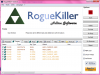
What were the results from RogueKiller? HitmanPro? Emsisoft Emergency Kit? and AdwCleaner?
 
Joined
Apr 17, 2014
Messages
32
Reaction score
0
From the Rkill:


--
As for HitmanPro, Emsisoft Emergency Kit and AdwCleaner, I'm still downloading them. Thank you. :D

P.S. Really sorry! I thought I followed the instructions from this site: http://malwaretips.com/blogs/pum-userwload-virus/ Looks like I only followed Step 2. I thought they were separate cases and that I only follow what virus scanner I have. Sorry! Will keep you updated.
 

Attachments

  • Rkill.txt
    2 KB · Views: 484
Joined
Apr 17, 2014
Messages
32
Reaction score
0
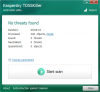
I followed instruction #1. (TDSSKiller)
Here's the result:


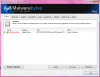
Instruction #2: (Malwarebytes)
 

Attachments

  • Kaspersky TDSSKiller Result.png
    Kaspersky TDSSKiller Result.png
    67 KB · Views: 531
  • Malwarebytes Result.png
    Malwarebytes Result.png
    106.1 KB · Views: 495
Joined
Apr 17, 2014
Messages
32
Reaction score
0
It took me long in the process of downloading, scanning, and deleting but here's an update:


I just rebooted my netbook and here's what I got: (file uploaded)

I don't know what particular virus scanner has 'deleted' the virus but I'm really happy. I think I should run a few more tests to be sure. If ever it is really deleted, won't I have any BSODs anymore?
 

Attachments

  • Newest Result.png
    Newest Result.png
    99.2 KB · Views: 470
Top