
You are using an out of date browser. It may not display this or other websites correctly.
You should upgrade or use an alternative browser.
You should upgrade or use an alternative browser.
Windows 7 Desktop Screenshots
- Thread starter Ian
- Start date
I did not customize my desktop much. I just use all the default windows set up.
So i will just share couple of my wallpaper which i prefer to use lately.
From left to right: bad company, samurai, abstract , random cute wallpaper.
Hope you all like it =)
So i will just share couple of my wallpaper which i prefer to use lately.
From left to right: bad company, samurai, abstract , random cute wallpaper.
Hope you all like it =)
Attachments




Hi natedogg and welcome to W7 Forums
As with many apps today tool-bars are offered and most have the option to not install, but if you find no option they can be removed via add/remove options within the OS.
Thanks!
So you're saying since it doesn't have the option to not install, just go into add/remove and the Yahoo Wigets still runs fine?
Are you using it by chance? I used it before Yahoo bought it out 6+ yrs ago and took a break I guess, lol.
Appreciate your help!

Veedaz
~
- Joined
- Sep 1, 2009
- Messages
- 1,988
- Reaction score
- 374
I'm sure there was an option, I am also sure I had to install as Admin (this may have changed if the Widget Doc has being updated, I would suggest give it a run 
As a side note I found some Widgets would work and some would not but good luck mate :top:
As a side note I found some Widgets would work and some would not but good luck mate :top:
- Joined
- Mar 13, 2010
- Messages
- 1
- Reaction score
- 0

Veedaz
~
- Joined
- Sep 1, 2009
- Messages
- 1,988
- Reaction score
- 374
Hi natedogg
You need to download the doc run as admin in compat mode (click get started now on the page of the link) > http://widgets.yahoo.com/download/
Also this is another I use > http://www.wheresmydrink.com/2009/12/gadgets-widgets-windows-7-64-bit-32-bit/
You need to download the doc run as admin in compat mode (click get started now on the page of the link) > http://widgets.yahoo.com/download/
Also this is another I use > http://www.wheresmydrink.com/2009/12/gadgets-widgets-windows-7-64-bit-32-bit/
Last edited:


- Joined
- Apr 11, 2010
- Messages
- 35
- Reaction score
- 4
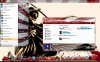
My Desktop when i was using windows 7 ultimate in RC version build 7000 / 7100


Veedaz
~
- Joined
- Sep 1, 2009
- Messages
- 1,988
- Reaction score
- 374
Yikes! I was just hijacked.
Time to upgrade your security ?

yodap
No longer shovelling
- Joined
- Mar 30, 2009
- Messages
- 1,430
- Reaction score
- 340
Hey Veedaz, how are you?
Security is good here. In fact my pop-up blocker worked great It's just that I wasn't expecting to be taken to an image hosting site when I clicked on celldweller's desktop. (I thought it was just a thumbnail) No harm no foul. I apologize to celldweller1591.
Please excuse the ramblings of an old coot.
Thanks.
Security is good here. In fact my pop-up blocker worked great It's just that I wasn't expecting to be taken to an image hosting site when I clicked on celldweller's desktop. (I thought it was just a thumbnail) No harm no foul. I apologize to celldweller1591.
Please excuse the ramblings of an old coot.
Thanks.
Veedaz
~
- Joined
- Sep 1, 2009
- Messages
- 1,988
- Reaction score
- 374
I'm good thanks Yodap, hope you are to
Well from one old coot to another ... no worries matePlease excuse the ramblings of an old coot

- Joined
- Apr 26, 2010
- Messages
- 6
- Reaction score
- 1
