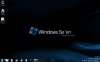
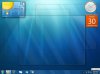
Windows 7 Desktop Screenshots

Kougar

OCing one chip at a time
Joined
May 11, 2009
Messages
588
Reaction score
116
Kougar, your screenshot is of a vista desktop, i dont know if this will be selected?

Check the lower-right corner of the screen... this is Windows 7 RC1 64bit. ;)

I configured the tastkbar to function like Vista's but keep the features of Windows 7... I just added the quicklaunch bar, button text, and removed pinned icons, but kept W7's new features So I get the layout of Vista's taskbar with the functionality of W7's new taskbar. Best of both worlds, so to speak.
 
Joined
Feb 23, 2009
Messages
337
Reaction score
21
sorry about the doubt, it just looked liked vista since the big icons were missing, and i didnt spot the watermark, how do you get rid of the big icons, i dont want to but just for future reference for friends and such.
 
Joined
Mar 8, 2009
Messages
5,062
Reaction score
1,185
Win7-7068_Screenshot.jpg

Windows7Desktop.jpg

Few more screenshots
 
Joined
Mar 8, 2009
Messages
5,062
Reaction score
1,185
Are we talking about my missing watermark

If you are I used a watermark remover I downloaded

What you see is what I see
 

Kougar

OCing one chip at a time
Joined
May 11, 2009
Messages
588
Reaction score
116
sorry about the doubt, it just looked liked vista since the big icons were missing, and i didnt spot the watermark, how do you get rid of the big icons, i dont want to but just for future reference for friends and such.

Define big icons?

If you mean the size of your desktop icons: Click your desktop, hit Ctrl + A to select everything. Now use the scroll wheel on your mouse and it will resize all desktop icons for you. I agree with ya, the default icon size is way to large for my preferences.

If you meant the large icons on the taskbar, right-click those and select "unpin" from the dialog box.
 
Joined
Mar 4, 2009
Messages
44
Reaction score
0
Just started to run the new windows 7 RC before this was beta

desktop.png


Updated

desktop.jpg
 
Last edited:
Joined
Jan 15, 2009
Messages
8
Reaction score
0
Wouldn't it be great to replace my upgrade version of Vista Ultimate.

Can never have to many copies of an operating system. :p
 

Attachments

  • Windows 7 Desktop Screenshot.jpg
    Windows 7 Desktop Screenshot.jpg
    98.4 KB · Views: 1,054
Joined
Mar 8, 2009
Messages
5,062
Reaction score
1,185
Not my style - But Im glad someone posted a screenshot of their startbar on the right - I was wondering if anyone used it that way
 
Joined
May 21, 2009
Messages
2
Reaction score
0
My desktop pictures

2 diffrent pics of my desktop,didnt customize it, becuase winner is picked randomly so it doesnt matter.hope u all like anyways, laterz
 

Attachments

  • Desktop 1.jpg
    Desktop 1.jpg
    34.3 KB · Views: 870
  • desktop 2.jpg
    desktop 2.jpg
    19.8 KB · Views: 770

Kougar

OCing one chip at a time
Joined
May 11, 2009
Messages
588
Reaction score
116
Braxxis, is that a public wallpaper or from a site of similar wallpapers? I find that one to be rather alluring... quite a few layers and depth in that image.
 
Joined
May 9, 2009
Messages
13
Reaction score
1
My Screenie.Nothing special though.
 

Attachments

  • windows-7-desktop-after.jpg
    windows-7-desktop-after.jpg
    54.2 KB · Views: 704
Joined
Feb 23, 2009
Messages
337
Reaction score
21
Hey Braxxis i like the way you have added rocket dock, to give that mac OSX feel
 
Joined
May 24, 2009
Messages
6
Reaction score
0
Capture.jpg It's not much but still trying to figure out a few things to make it look and run the way i want.......And learning a lot along the way.
Oh, and if anyone is wondering, it's W7 build 7127 and i am using rainmeter.
 
Last edited:
Joined
May 26, 2009
Messages
1
Reaction score
0
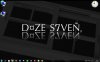
Windows 7 screenshots

Here is mine. I used Logo Creator v5 for the text design.
Simple with plenty of room for multiple windows.
 

Attachments

  • Screen shot s7ven.jpg
    Screen shot s7ven.jpg
    76.2 KB · Views: 840
Top