
You are using an out of date browser. It may not display this or other websites correctly.
You should upgrade or use an alternative browser.
You should upgrade or use an alternative browser.
BSOD 0x0000003B system service exeption
- Thread starter NobleHelium
- Start date
- Joined
- Aug 17, 2012
- Messages
- 16
- Reaction score
- 0
- Joined
- Aug 17, 2012
- Messages
- 16
- Reaction score
- 0

Shintaro
Moderator
- Joined
- Mar 1, 2012
- Messages
- 2,134
- Reaction score
- 252
Mate,
I don't understand the RAM timing enough to make a good call. I hope that your problem is RAM timing.
I have asked one of the mods for someone to look at your RAM timings.
But you may end up needing to replace the RAM or at least try to find the faulty RAM stick.
My sincere apologies for the late responce.
I don't understand the RAM timing enough to make a good call. I hope that your problem is RAM timing.
I have asked one of the mods for someone to look at your RAM timings.
But you may end up needing to replace the RAM or at least try to find the faulty RAM stick.
My sincere apologies for the late responce.
- Joined
- Aug 17, 2012
- Messages
- 16
- Reaction score
- 0
Yeah, the faulty RAM is in Slot #1.

- Joined
- May 10, 2010
- Messages
- 9,357
- Reaction score
- 1,587
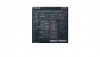
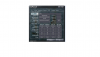
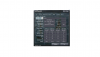
Shintaro, asked if I knew a RAM expert and I got a reply back from Nibs today. As you already know, he confirmed the RED from memtest meant replace some RAM but he also mentioned your timings ...
... you should fix that when you replace that bad stick.The OP's RAM timings are off too. DDR-1399 is NOT a correct clock speed, should be DDR-1300. He needs to adjust his memory bus frequency settings.
Shintaro
Moderator
- Joined
- Mar 1, 2012
- Messages
- 2,134
- Reaction score
- 252
Another thing to consider is that you should look at the RAM compatibility list for your motherboard(If they have one for your motherboard).
I see many people getting RAM for their motherboard that is not on that list and wonder why they have problems.
I see many people getting RAM for their motherboard that is not on that list and wonder why they have problems.