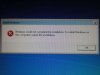
Here's what I did to solve it for myself (I had run sysprep /generalize /oobe to move my machine from an AMD to an Intel platform):
1) Get the command prompt with Shift-F10.
2) Run services.msc and turn anything that you disabled yourself to Automatic (use your head here, for example Nero's NMIndexService can stay off), in case you've done services tweaking like I did.
3) Ensure the sptd service is disabled if you have it installed (used for virtual CD/ISO-mounting apps), you do this with regedit, it'll be in HKLM\System\CurrentControlSet\Services I believe.
4) Reboot
5) Command prompt again, cd to \Windows\System32\oobe and run msoobe
6) Create a new user and go through the steps.
After the OOBE part was done, I just got a black screen instead of going to desktop. Just sat there, so I powered off and rebooted. After reboot, it logged me into the new user I had created.
7) Log back into your old user, all should be fine now.
Hope this helps someone out there.