- Joined
- Jun 22, 2011
- Messages
- 1
- Reaction score
- 0
I recently encountered what I think was a Malware problem (I believe a TDL variant), and finally decided to do a system restore, but the kind that backups your data.
If you want to know more about that part, let me know.
Currently though, after it went through all the other steps and restarted, it comes up with an error "Windows could not complete the installation. To install Windows on this computer, restart the installation." Restarting does not help.
This is with the SATA set to ACHI mode; on IDE mode, the computer will suddenly shut down before anything happens, and restart.
This is on all startup modes, including safe mode, etc.
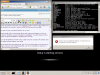
I can still access the command prompt, and with it run explorer.exe and run all kinds of programs, but some with limited functionality. I am on my computer as I type this, in fact, and will provide a screenshot.
Anyways, if you have a solution that uses the cmd, let me know, as I do not have any boot/installation disks, and would prefer to not go through the trouble of getting one.
Also, if you think it's a good idea to backup my data really well before using your solution, let me know.
Seems I'm just without my OS at the moment, which is Windows 7, of course.
If you want to know more about that part, let me know.
Currently though, after it went through all the other steps and restarted, it comes up with an error "Windows could not complete the installation. To install Windows on this computer, restart the installation." Restarting does not help.
This is with the SATA set to ACHI mode; on IDE mode, the computer will suddenly shut down before anything happens, and restart.
This is on all startup modes, including safe mode, etc.
I can still access the command prompt, and with it run explorer.exe and run all kinds of programs, but some with limited functionality. I am on my computer as I type this, in fact, and will provide a screenshot.
Anyways, if you have a solution that uses the cmd, let me know, as I do not have any boot/installation disks, and would prefer to not go through the trouble of getting one.
Also, if you think it's a good idea to backup my data really well before using your solution, let me know.
Seems I'm just without my OS at the moment, which is Windows 7, of course.