My PC keeps crashing with a BSOD showing the message BAD_POOL_CALLER or SYSTEM_SERVICE_EXCEPTION

Joined
Jan 3, 2014
Messages
9
Reaction score
0
My PC keeps crashing i look through my devices and checked the drivers but most likely missed some i have attached the dump files and hopefully someone can tell whats going wrong. The dump files were just after a BAD_POOL_CALLER but was not long after a SYSTEM_SERVICE_EXCEPTION. I would be very thankful if someone could help me.
 

TrainableMan

^ The World's First ^
Moderator
Joined
May 10, 2010
Messages
9,357
Reaction score
1,587
Your DMP files are not attached. You need to zip them and attach the zip.
 
Joined
Jan 3, 2014
Messages
9
Reaction score
0
ok here is the files i think i made them to a .zip file but you will be able to see
 

Attachments

  • 010414-48718-01.zip
    22 bytes · Views: 540

TrainableMan

^ The World's First ^
Moderator
Joined
May 10, 2010
Messages
9,357
Reaction score
1,587
I see one DMP file in that one but it doesn't point to anything specific that I see.

First I would scan for viruses from safe mode as explained at the start of my post HERE. What anti-virus software do you use? I saw at least one file for Sophos but I'm not familiar with that A/V software.

Also, the AvidFS software seems unusual/rare (AvidFS.SYS, avidcomm.SYS, AvidFosLog.SYS, AvidFosShell.SYS, TdiTrans.SYS, AvidFos.SYS). Even if that isn't a virus I think you might try uninstalling it to see if the issue goes away.
 
Joined
Jan 3, 2014
Messages
9
Reaction score
0
ok i will do that i have other DMP files i shall upload and would love if you could take a look
 
Joined
Jan 3, 2014
Messages
9
Reaction score
0
here are the others and i have installed avast Free Anti-Virus and ran a scan aswell as uninstalling the avid programs
 

Attachments

  • 010114-34000-01.zip
    22 KB · Views: 568
  • 010114-40171-01.zip
    22.2 KB · Views: 506
  • 010114-40640-01.zip
    24.7 KB · Views: 575
  • 010114-41609-01.zip
    25 KB · Views: 502
  • 010114-41890-01.zip
    23.7 KB · Views: 496
  • 010114-44203-01.zip
    25 KB · Views: 507

TrainableMan

^ The World's First ^
Moderator
Joined
May 10, 2010
Messages
9,357
Reaction score
1,587
Go to Control Panel > Device Manager. Under Network adapters (if it is not listed try View > Show hidden resources). Double click on the Linksys adapter and choose the Driver tab. Select uninstall.
 
Joined
Jan 3, 2014
Messages
9
Reaction score
0
Go to Control Panel > Device Manager. Under Network adapters (if it is not listed try View > Show hidden resources). Double click on the Linksys adapter and choose the Driver tab. Select uninstall.
ok i have done this but cant see it all i see is in the photo attached
 
Joined
Jan 3, 2014
Messages
9
Reaction score
0
upload_2014-1-5_3-13-4.png
 

TrainableMan

^ The World's First ^
Moderator
Joined
May 10, 2010
Messages
9,357
Reaction score
1,587
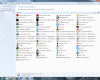
Go to control panel > Programs and Features and see if you can find any programs related to Linksys that you could uninstall.
 
Joined
Jan 3, 2014
Messages
9
Reaction score
0
no i dont think there is any thing related can you see any thing?
 

Attachments

  • upload_2014-1-5_3-30-44.png
    upload_2014-1-5_3-30-44.png
    573.8 KB · Views: 656

TrainableMan

^ The World's First ^
Moderator
Joined
May 10, 2010
Messages
9,357
Reaction score
1,587
Oh besides Linksys, MRVW24C.sys, can be from NetGear, DLink or Marvell Wireless Adapters, so it would likely be the Netgear WN121T. Uninstall that if you don't use it any more (start by uninstalling via Programs and Features then see if it is gone from device manager). Even if you do use it maybe you could uninstall just to see if the problem goes away.

And also in the programs, I see LogMeIn which is known to cause some BSODs. If uninstalling the NetGear doesn't fix things I would suggest you uninstall LogMeIn.

Also, you have Sophos Antivirus installed and Avast Free. Those are probably both active anti-virus software programs. It is never a good idea to have two A/Vs actively scanning everything you do because they can easily conflict, possibly causing BSODs or at the very least adding a millisecond or two to each file access. If one is passive, meaning it is not actively loaded into memory but instead only runs when you manually tell it to scan then that would be OK but most A/Vs are not like that (If you want a second A/V then Malwarebyte's Anti-malware is passive as long as you do not allow it to start the Free trial). So I suggest you uninstall either Sophos or Avast Free.

 
Top