Hello all,
Please help me with this as I have read numerous posts with advice on how to approach this problem but I am not sure where to start...
I build this comp with all new parts about 3 weeks ago and i get a few BSOD daily depending on how much i use it
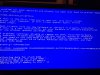
attached are the actual BSOD saying BAD_POOL_HEADER and SYSTEM_SERVICE_EXCEPTION
i have windows 7 64 bit and norton antivirus (some say this can be an issue)
My build
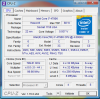
intel core i7 4690
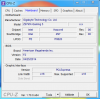
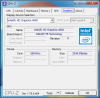
gigabyte z97 gaming 5 mini atx
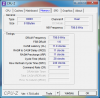
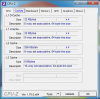
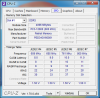
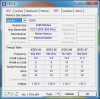
Patriot Signature DDR3 8 GB (2 x 4 GB) CL11 PC3-12800 (1600MHz) 240-Pin DDR3
Seagate Barracuda 1 TB HDD SATA 6 Gb/s NCQ 64MB Cache 3.5-Inch Internal Bare Drive ST1000DM003
gigabyte nvidia gtx 760
corsair 500w power supply
coolermaster 212 hyper evo
i dunno whether it is bad RAM stick should i pull one stick and try each individually or run mem86, re-install windows/drivers. Just want to know where i should start.
Thank you so much for any help
J
Please help me with this as I have read numerous posts with advice on how to approach this problem but I am not sure where to start...
I build this comp with all new parts about 3 weeks ago and i get a few BSOD daily depending on how much i use it
attached are the actual BSOD saying BAD_POOL_HEADER and SYSTEM_SERVICE_EXCEPTION
i have windows 7 64 bit and norton antivirus (some say this can be an issue)
My build
intel core i7 4690
gigabyte z97 gaming 5 mini atx
Patriot Signature DDR3 8 GB (2 x 4 GB) CL11 PC3-12800 (1600MHz) 240-Pin DDR3
Seagate Barracuda 1 TB HDD SATA 6 Gb/s NCQ 64MB Cache 3.5-Inch Internal Bare Drive ST1000DM003
gigabyte nvidia gtx 760
corsair 500w power supply
coolermaster 212 hyper evo
i dunno whether it is bad RAM stick should i pull one stick and try each individually or run mem86, re-install windows/drivers. Just want to know where i should start.
Thank you so much for any help
J