
You are using an out of date browser. It may not display this or other websites correctly.
You should upgrade or use an alternative browser.
You should upgrade or use an alternative browser.
SOLVED Adding Partitions
- Thread starter DallasDad
- Start date

- Joined
- Mar 8, 2009
- Messages
- 5,062
- Reaction score
- 1,185
I can think of a few reasons why I would use more than one partition.
- The most used reason would be to separate Data from the OS partition.
- There are always the possibility of separating business from pleasure.
- Business or pleasure, there is always subcategories that can use a partition of their own.
If data is placed on a different drive than your other activities, to access it you would have to go back to "Computer" and select the appropriate drive, right?
Seems like an extra step for a minimal benefit, or am I missing something?
I have a new computer coming and the model I selected has a 1TB HDD. That's actually more storage than I can use, and depending on how the disk is partitioned, I could possibly add a drive to it to make it seem more manageable?
Just wondering if it's worth messing with.
Seems like an extra step for a minimal benefit, or am I missing something?
I have a new computer coming and the model I selected has a 1TB HDD. That's actually more storage than I can use, and depending on how the disk is partitioned, I could possibly add a drive to it to make it seem more manageable?
Just wondering if it's worth messing with.
Last edited:
- Joined
- Mar 8, 2009
- Messages
- 5,062
- Reaction score
- 1,185
If your data is on a partition of its own, the OS partition can be wiped without harming your data. This is ideal for system recovery or re-installing the OS.
I don't have one shred of data stored on the OS partition. The OS partition can be wiped at anytime. You never know when the need to use a system backup image may arise.
I don't have one shred of data stored on the OS partition. The OS partition can be wiped at anytime. You never know when the need to use a system backup image may arise.
- I never have used Windows Explorer and couldn't care less about Libraries.
- I manually organize all my personal data and downloads on D:\.
- Windows Live Mail storage is configured to use D:\.
- Office Apps are configured to use D:\ as default storage drive.
If your data is on a partition of its own, the OS partition can be wiped without harming your data. This is ideal for system recovery or re-installing the OS.
I don't have one shred of data stored on the OS partition. The OS partition can be wiped at anytime. You never know when the need to use a system backup image may arise.
It may be true that I go an extra step to store my data but in the end there is far less effort keeping my data.
- I never have used Windows Explorer and couldn't care less about Libraries.
- I manually organize all my personal data and downloads on D:\.
- Windows Live Mail storage is configured to use D:\.
- Office Apps are configured to use D:\ as default storage drive.
Good point Clifford!
As for the xtra step, then it's true that you have to go back and select the specific drive number you want?
Sorry for the dumb questions, but I just never had to deal with it before.
My present computer has just 2 drives, C & D.
The C:\ is system, data, everything. D:\ just has a factory image for recovery.
So one more question.......If I added a third drive F:\ for example and in the future I performed a full recovery from the factory recovery disk D:\, would it only affect the C:\ drive or would it wipe the C:\ and the F:\ drive both?
Performing a recovery from the D:\ drive like that, I'm not sure if it would give me the option to select a specific drive? Do you know?
Thanks for your help!
Last edited:

- Joined
- May 10, 2010
- Messages
- 9,357
- Reaction score
- 1,587
Actually, the system maintains pointers to your library data (documents, music, videos, etc) so if you physically move where these objects are stored (as opposed to creating an additional folder on the other drive) then the system will just start pointing to the new drive when you go to save.
Also if you add a third partition it will likely become E: and your DVD-Rom drive will move to F: (of course you can change this)
And, no, your recovery drive was designed to go to a single drive and that is what it would still do. It would work fine for fixing corrupt system files but if you ever needed a full recovery then you would be best to use an image created after you have modified your system to use data on another drive. Basically you tweak the system to get it working just how you want and then you make a new image of the C: drive in that state and THAT is what you use for a complete restore, not the restore drive. See Acronis or Macrium Reflect in the Backup & Recovery:section of our Freeware DB for tools to make an image. Just FYI, if you did use your recovery drive to do a full reinstall, the data on your E: (or F: ) drive wouldn't be touched but folders would be created on C: for your data and you would then have to redo all the modifications to change your library pointers to the data drive.
Also if you add a third partition it will likely become E: and your DVD-Rom drive will move to F: (of course you can change this)
And, no, your recovery drive was designed to go to a single drive and that is what it would still do. It would work fine for fixing corrupt system files but if you ever needed a full recovery then you would be best to use an image created after you have modified your system to use data on another drive. Basically you tweak the system to get it working just how you want and then you make a new image of the C: drive in that state and THAT is what you use for a complete restore, not the restore drive. See Acronis or Macrium Reflect in the Backup & Recovery:section of our Freeware DB for tools to make an image. Just FYI, if you did use your recovery drive to do a full reinstall, the data on your E: (or F: ) drive wouldn't be touched but folders would be created on C: for your data and you would then have to redo all the modifications to change your library pointers to the data drive.

- Joined
- May 10, 2010
- Messages
- 9,357
- Reaction score
- 1,587
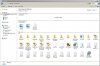
Now from Yodap's attachment I can tell he didn't actually relocate his default documents library (because you can still see his c:\users\PQ), he simply added an extra library pointer to his E: but, it is actually possible to relocate the default library to your new hard drive if you prefer.
Thanks a lot guys, your ideas really got my curiosity going, I didn't know you could change all those pointers, etc etc! I decided to see what I could do......
First I went into Windows Disk Management, shrunk my C:\ drive and created and formatted a 3rd drive Y:\, and added a folder to it for Docs.
Then I started playing with the Start Menu and Libraries and discovered I could actually set the Start Menu to point to my Y:\ drive Docs!
See what you guys did? I had no idea how to do all that till now. I'm doing digital surgery on my computer & I never even went to medical school! LOL
I'm definitely going to create a 3rd drive on that new one when it gets here next week.
I'll NEVER switch to W8 now, I'll be having too much fun with W7!
First I went into Windows Disk Management, shrunk my C:\ drive and created and formatted a 3rd drive Y:\, and added a folder to it for Docs.
Then I started playing with the Start Menu and Libraries and discovered I could actually set the Start Menu to point to my Y:\ drive Docs!
See what you guys did? I had no idea how to do all that till now. I'm doing digital surgery on my computer & I never even went to medical school! LOL
I'm definitely going to create a 3rd drive on that new one when it gets here next week.
I'll NEVER switch to W8 now, I'll be having too much fun with W7!
Last edited:

- Joined
- Apr 7, 2010
- Messages
- 1,094
- Reaction score
- 277
Yes. You are missing "shortcuts". The shortcut on your desktop will point Windows Explorer to the correct location.If data is placed on a different drive than your other activities, to access it you would have to go back to "Computer" and select the appropriate drive, right?
Seems like an extra step for a minimal benefit, or am I missing something?
But to answer your question, if you have more than one partition (or drive) then there are quite a few extra steps involved. If you want all your applications to be installed somewhere other than under C:\Program Files or C:\Program Files (x86), then EVERY TIME you install anything, you must use the custom install option and select the new location - if the program allows it. Some don't and that is lazy programming IMO.
That said, to keep extra fluff and other junk being foisted on our systems, we should use the custom install options to opt-out of everything we can.
With 1Tb coming, unless you have many 1000s of tunes of videos, that should be plenty. You might want to partition off a section for backups but those won't help you if the drive fails.
I personally always partition my drives. But I suspect that is due to me being a long-time computer user, who used to always be running out of space. So I add a drive. Now I am just used to have multiple drives and partitions.
I always keep just the OS and hardware drivers on my C partition. I have all my applications, temporary folders, documents and data files on my D partition. And my E drive is a little SSD dedicated to my Page File.
Dig you made me think of another question;
I use "Your Uninstaller", just wondering if an application like that can see other partitions and does it have access to them without being
specifically directed to another drive, etc??
I would like to keep "Your Uninstaller" on something other than my C:\ drive, BUT does it create any other issues or complicate anything else by doing so?
I use "Your Uninstaller", just wondering if an application like that can see other partitions and does it have access to them without being
specifically directed to another drive, etc??
I would like to keep "Your Uninstaller" on something other than my C:\ drive, BUT does it create any other issues or complicate anything else by doing so?
Last edited:
- Joined
- May 10, 2010
- Messages
- 9,357
- Reaction score
- 1,587
Personally I think there is a huge difference between storing data on a separate partition and installing software to a different drive. If you ever have to restore your system you would want all your programs back as well so it makes perfect sense to install programs to the drive with the OS and make an image of that entire partition. Once you have that image you would not need to update it very often but if your system becomes corrupted you can easily restore your OS, user settings, and all your software from the image without ever effecting your most current data which is on a separate partition.
Your data changes more often, so you would want to back-up that partition much more frequently but you likely would never do a full image restore (unless the drive crashed), more likely you would restore individual files if you wanted to review an old version of your resume or to recover a file you accidentally deleted, etc.
Your data changes more often, so you would want to back-up that partition much more frequently but you likely would never do a full image restore (unless the drive crashed), more likely you would restore individual files if you wanted to review an old version of your resume or to recover a file you accidentally deleted, etc.
I think I understand your point about the image, but if the uninstaller is on a different drive, it would be unaffected by the full recovery. Nevertheless that kinda did an end run around my question which was;
Will the uninstaller I use run just as efficiently from another drive, or does it need to be on the C drive? And will it see and run in all drives or just the drive it's in?
Thanks in advance TM.
Will the uninstaller I use run just as efficiently from another drive, or does it need to be on the C drive? And will it see and run in all drives or just the drive it's in?
Thanks in advance TM.
Last edited:
- Joined
- May 10, 2010
- Messages
- 9,357
- Reaction score
- 1,587
Well my point was, I wouldn't put the uninstaller, or any program (except maybe games) on a separate partition, I would keep them on C: with the OS and image the whole thing to have in case of need for disaster recovery.
But to answer your question; if you use a programs install routine to install them to a separate drive, the uninstaller would still know where they are because it would read the install logs. Where you might run into problems is if you install to D: and later decide to change the whole drive to drive X:, then the logs say it's on D: but now you have no D:, you have an X:
You may say you would never do that but like on my system I have an external hard drive which is rarely turned on. When I do turn it on it is usually F: but if I plugged in a flash drive before I turned on the external HD then the flash drive is F: and my ext HD is G:. I don't keep programs on that drive but if I did it would be an issue not only for the uninstaller but also for every start menu shortcut that tries to run programs from F:
Will programs run as efficiently ... yes, because programs are read into memory and run from there.
But to answer your question; if you use a programs install routine to install them to a separate drive, the uninstaller would still know where they are because it would read the install logs. Where you might run into problems is if you install to D: and later decide to change the whole drive to drive X:, then the logs say it's on D: but now you have no D:, you have an X:
You may say you would never do that but like on my system I have an external hard drive which is rarely turned on. When I do turn it on it is usually F: but if I plugged in a flash drive before I turned on the external HD then the flash drive is F: and my ext HD is G:. I don't keep programs on that drive but if I did it would be an issue not only for the uninstaller but also for every start menu shortcut that tries to run programs from F:
Will programs run as efficiently ... yes, because programs are read into memory and run from there.
Last edited:
- Joined
- Apr 7, 2010
- Messages
- 1,094
- Reaction score
- 277
FTR, I am not a fan of general purpose uninstaller programs. I use the application's uninstaller, or Windows own Control Panel applet works just fine for me. If I have a problem uninstalling a particular program, then I might use a special purpose uninstaller, but never a general purpose one. And frankly, I think the cost of that particular uninstaller is outrageous - especially when there are several uninstallers that are free for home, non-commercial use.
Having two drives, one for your OS and one for all your applications offers a bunch of advantages and disadvantages. The biggest advantages are data protection and performance.
If your data is on D drive, and your C drive fails, your data is not lost. You simply restore your C drive, and everything is still intact. If you lose your data drive, you still have your OS (and its all important Registry) and all your drivers on C, then you simply restore the D drive.
With multiple physical drives (not partitions on the same drive), the OS can, and easily does access all the drives simultaneously - for example, to read in a Windows file from C while at the same time, accessing an application file on drive D.
But with a single drive, there is only a single R/W head, single data path and a single drive buffer so OS files and applications files have to be read in sequentially. That takes longer. Now whether you, as the user, "see" that performance difference is another matter - much dependent on how much RAM you have, as well as the horsepower of the rest of the computer. The biggest noticeable difference may just be boot times, and I don't put a lot of emphasis on boot times (unless excessive).
With one drive, you only need to maintain one current image backup. With multiple drives, you will have to maintain multiple image backups.
And of course, multiple drives cost more, use more energy and create more heat.
I guess I should add security as an advantage for multiple drives. If you are the administrator of a computer with multiple users with different levels of access, multiple drives may provide greater security options.
My advice today, with today's monster and fast drives, is the user needs to decide how involved they want to be in deciding how the OS does things. If I want to display my geek flag and be totally hands-on then I will use multiple hard/SSDs and partitions and organize and arrange my OS, applications and data files anyway I want, as if I was filling a room full of empty file cabinets.
If I was looking for total convenience, I would install Windows 7 using all its defaults and leave the single drive in one big partition. Note Windows, and especially Windows 7 is fully capable of managing it that way in excellent fashion! They have had decades to fine tune that OS, and have done that very well.
Bottom line (assuming modern hardware and Windows 7 or Linux), if you like to fuss with things, use multiple drives. If you don't, don't. But once you choose, that's what you are stuck with.
REGARDLESS how you configure your computer and drives, you still need a reliable backup program. So all concerns about imaging this or that with this drive configuration or that drive configuration seems moot to me. You still need a reliable backup program, whether you backup/image one drive or two.
But note that is only for applications or programs - software that loads bunches of individual files. The Registry on the boot drive (most likely C drive) must still show the correct locations. The actual data files (Word docs, mp3 files, jpg image files etc.) are still accessible via Windows Explorer or the main apps Open/browse menu if not in the application's default file location. They will not however, be found under My Documents or Libraries - at least not until that is manually updated and the defaults changed.
Having two drives, one for your OS and one for all your applications offers a bunch of advantages and disadvantages. The biggest advantages are data protection and performance.
If your data is on D drive, and your C drive fails, your data is not lost. You simply restore your C drive, and everything is still intact. If you lose your data drive, you still have your OS (and its all important Registry) and all your drivers on C, then you simply restore the D drive.
With multiple physical drives (not partitions on the same drive), the OS can, and easily does access all the drives simultaneously - for example, to read in a Windows file from C while at the same time, accessing an application file on drive D.
But with a single drive, there is only a single R/W head, single data path and a single drive buffer so OS files and applications files have to be read in sequentially. That takes longer. Now whether you, as the user, "see" that performance difference is another matter - much dependent on how much RAM you have, as well as the horsepower of the rest of the computer. The biggest noticeable difference may just be boot times, and I don't put a lot of emphasis on boot times (unless excessive).
With one drive, you only need to maintain one current image backup. With multiple drives, you will have to maintain multiple image backups.
And of course, multiple drives cost more, use more energy and create more heat.
I guess I should add security as an advantage for multiple drives. If you are the administrator of a computer with multiple users with different levels of access, multiple drives may provide greater security options.
My advice today, with today's monster and fast drives, is the user needs to decide how involved they want to be in deciding how the OS does things. If I want to display my geek flag and be totally hands-on then I will use multiple hard/SSDs and partitions and organize and arrange my OS, applications and data files anyway I want, as if I was filling a room full of empty file cabinets.
If I was looking for total convenience, I would install Windows 7 using all its defaults and leave the single drive in one big partition. Note Windows, and especially Windows 7 is fully capable of managing it that way in excellent fashion! They have had decades to fine tune that OS, and have done that very well.
Bottom line (assuming modern hardware and Windows 7 or Linux), if you like to fuss with things, use multiple drives. If you don't, don't. But once you choose, that's what you are stuck with.
REGARDLESS how you configure your computer and drives, you still need a reliable backup program. So all concerns about imaging this or that with this drive configuration or that drive configuration seems moot to me. You still need a reliable backup program, whether you backup/image one drive or two.
Very true. But to clarify, that has nothing to do with multiple drives or partitions. If you install on C: and later decide to change the whole drive to X, you will have the same issues.Where you might run into problems is if you install to D: and later decide to change the whole drive to drive X:, then the logs say it's on D: but now you have no D:, you have an X:
But note that is only for applications or programs - software that loads bunches of individual files. The Registry on the boot drive (most likely C drive) must still show the correct locations. The actual data files (Word docs, mp3 files, jpg image files etc.) are still accessible via Windows Explorer or the main apps Open/browse menu if not in the application's default file location. They will not however, be found under My Documents or Libraries - at least not until that is manually updated and the defaults changed.
Actually, the system maintains pointers to your library data (documents, music, videos, etc) so if you physically move where these objects are stored (as opposed to creating an additional folder on the other drive) then the system will just start pointing to the new drive when you go to save.
Also if you add a third partition it will likely become E: and your DVD-Rom drive will move to F: (of course you can change this)
And, no, your recovery drive was designed to go to a single drive and that is what it would still do. It would work fine for fixing corrupt system files but if you ever needed a full recovery then you would be best to use an image created after you have modified your system to use data on another drive. Basically you tweak the system to get it working just how you want and then you make a new image of the C: drive in that state and THAT is what you use for a complete restore, not the restore drive. See Acronis or Macrium Reflect in the Backup & Recovery:section of our Freeware DB for tools to make an image. Just FYI, if you did use your recovery drive to do a full reinstall, the data on your E: (or F: ) drive wouldn't be touched but folders would be created on C: for your data and you would then have to redo all the modifications to change your library pointers to the data drive.
OK TM you talked me into it! LOL
I'm running my new computer now. I created 2 new partitions, 1 for data and 1 for a HDD image; and I just installed Acronis True Image Home 2012.
I moved my Pictures library to it's new location on my P:\ drive, I used drag & drop to move (not copy) Picture's Library from C:\ Users to the new P:\ drive.
If I right click Pictures > Properties anywhere in the computer including the start menu, the only location listed is P:\ so I guess I got it right.
One question about that just to clarify.....You said if I do a full recovery using an Acronis image it will leave the Pictures and /or Documents Libraries alone, but IF I did a full recovery from the HP's D:\ Recovery drive, what exactly would it do?
Create new folders on the C:\ drive? Or worse??
And I've never imaged a HD before, so if you have any tips or good articles with instructions.......
Last edited:
- Joined
- May 10, 2010
- Messages
- 9,357
- Reaction score
- 1,587
If you have a D: drive recovery partition it works essentially the same as a recovery DVD that most laptops have you create on the first boot-up. So the recovery partition can be used to repair system files (and you could still do this with no problems even after adding your P: drive) or it can be used to restore your system to factory defaults (this would be destructive and would definitely rewrite everything on C: and recreate your data folders on C: but what it would do to P:, I'm not sure). A full restore may completely remove that P: partition or it might leave it alone; personally I would have a back-up of your data before I tried it.
For making an image, my experience has been you simply follow the software prompts. "What drive do you want to image" ... C: <next>, "where do you want to store the image" ... If you don't have a secondary hard drive then you will have to choose P: <next>, You will get a warning that P: is on the same physical drive as C:. The reason you get this warning is because if the hard drive has a catastrophic hard drive failure, like a head crash, then you won't be able to reference C: or P: or the recovery partition so your image will likely be lost, so it is best to store your image on another physical hard drive (such as a USB drive) if you can. "Press next to create image" ... <next>.. That's it.
For making an image, my experience has been you simply follow the software prompts. "What drive do you want to image" ... C: <next>, "where do you want to store the image" ... If you don't have a secondary hard drive then you will have to choose P: <next>, You will get a warning that P: is on the same physical drive as C:. The reason you get this warning is because if the hard drive has a catastrophic hard drive failure, like a head crash, then you won't be able to reference C: or P: or the recovery partition so your image will likely be lost, so it is best to store your image on another physical hard drive (such as a USB drive) if you can. "Press next to create image" ... <next>.. That's it.
Last edited: